
Advanced Thalmann integration: bend programs ready before the machine starts
For Thalmann TD machines, nuIT lets you create the bend program on the workstation long before the part reaches the folder. The operator loads the part and bends.
Bending a new profile usually starts with programming. The part arrives at the folder, the operator works out the sequence, sets the parameters, and only then does production begin. The machine waits while it is being programmed, and the same profile is programmed again the next time it comes around.
The advanced Thalmann integration moves that work off the shop floor. For Thalmann TD machines, nuIT creates the bend program on a workstation, keeps it with the profile, and sends it to the machine at production time.
Where the standard integration stops
With a standard Thalmann integration, nuIT sends the geometry to the machine as a .tha file. Nobody has to redraw the profile on the Thalmann interface, which removes the errors that come with drawing it a second time. That alone is worth having.
What it does not cover is the bending itself. The geometry arrives, the bend program does not:
- Sequencing and bend parameters are still decided by the operator at the pedal, so the bending know-how has to be present at the machine.
- Programming time is machine time. Every new profile stops production until the program is finished.
- A profile that was bent last month gets programmed from scratch, because the knowledge stays in the operator's head rather than in the system.
The advanced integration is the next step on top of the standard one, not a replacement for it.
Creating the bend file on the workstation
nuIT drives the Thalmann DS3000 software where the work is planned. The customer keeps working in the original Thalmann software. We do not replace it, we bring it to the workstation and wrap the workflow around it.
1. Workstation. In the production order, every profile shows whether a bend program exists. Where one is missing, nuIT opens the DS3000 with the profile already loaded.
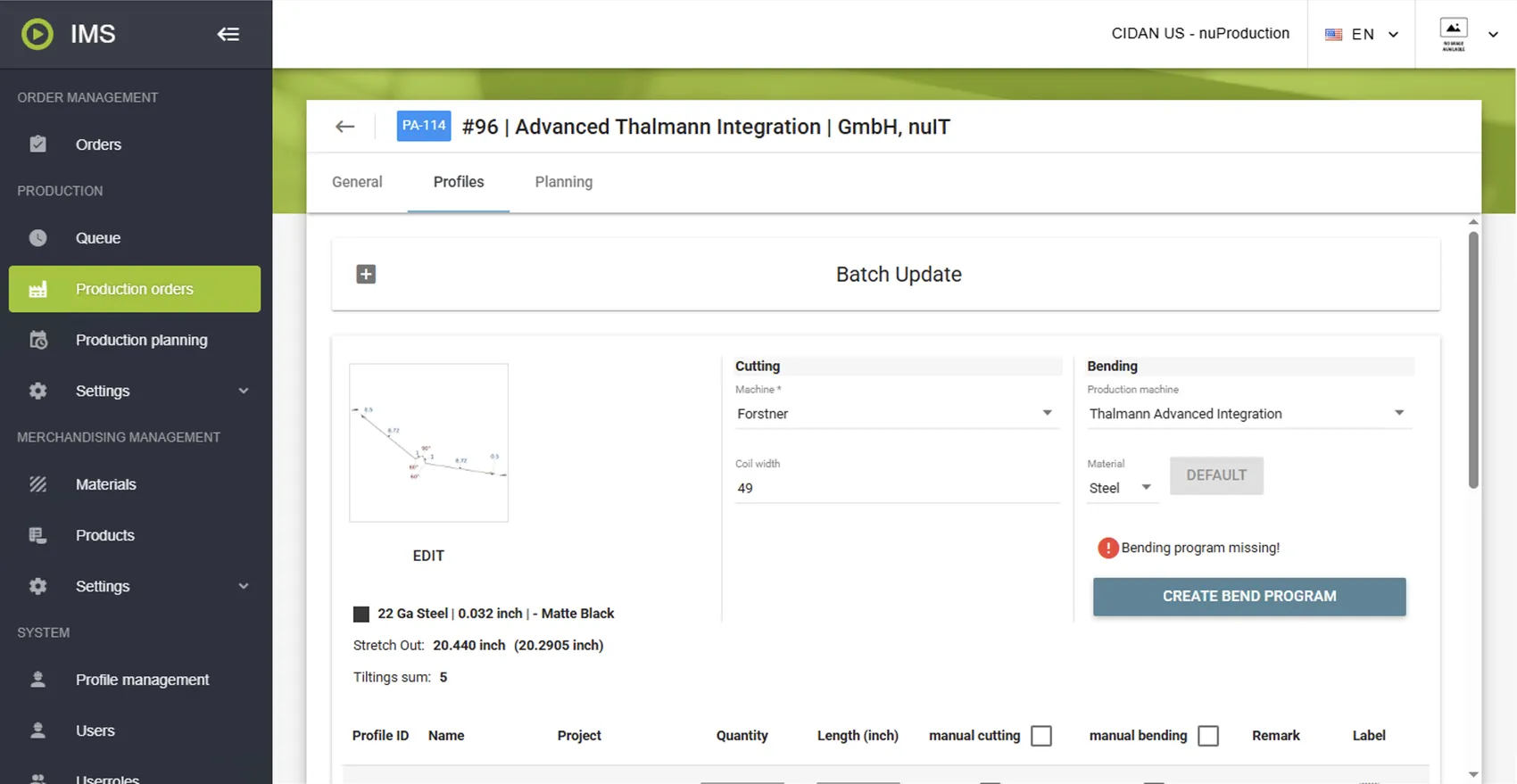
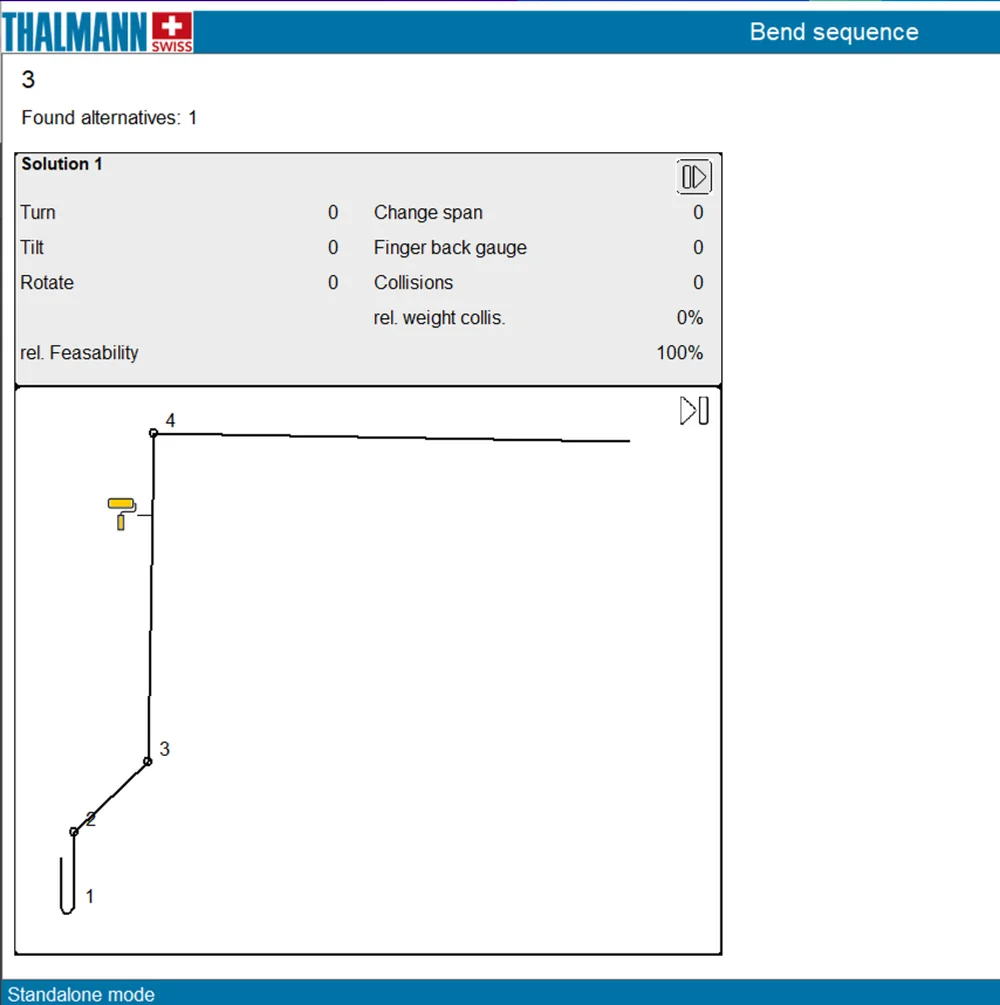
2. Sequencing and parameters. Sequencing and bend settings are made by someone who knows how to bend, in work preparation rather than at a standing machine. When the automatic sequencer finds no solution, the expert takes over manually. That is exactly the case you do not want happening next to a stopped folder.
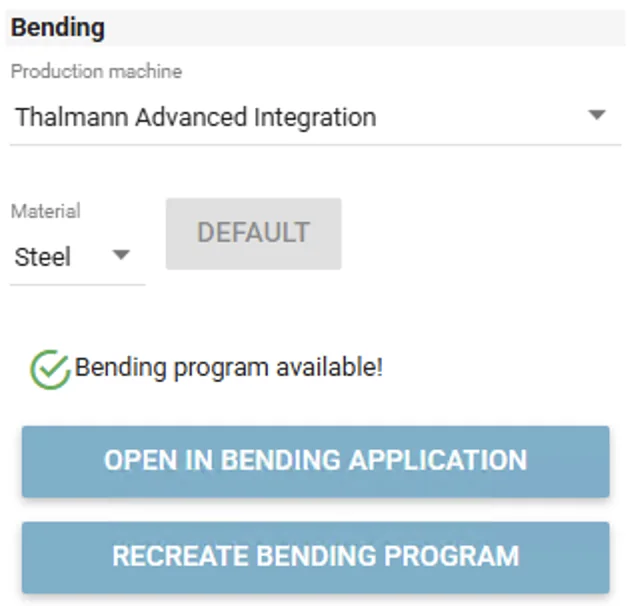
3. Available. The finished program is stored against the profile and stays available for every future order with the same geometry, material and thickness. At production time it goes to the TD machine. The operator loads the part and bends, with nothing left to set up.
Written once, reused
A bend program is created once and stays available for every future profile that matches. Three things decide whether an existing program fits: geometry, material type (steel, aluminium, stainless steel) and material thickness.
Length is not one of them. Two metres or three, the same bend program is used. Customers often assume every length needs its own program, and it does not.
A profile that was bent before goes straight to production, and the preparation for it falls away. The more repetitive the part mix, the faster the programming effort disappears. Over time the bending know-how ends up in nuIT instead of in one person's head, and it stays there when that person leaves.
Knowledge in the office, speed at the machine
In the office, the production foreman or bending expert sees which profiles of an order still need a program, creates it in the DS3000 out of nuIT, sets sequencing and further parameters, and takes over manually when the automatic sequencer finds no solution. All of it ahead of production, at a desk.
At the machine, the operator receives a fully prepared bend program. No sequencing decisions, no parameter setup. The job can be learned in a day rather than a season, which matters when experienced folder operators are hard to find.
Better together with nuSlit labeling
The picture gets simpler still when the cutting line is part of it. nuIT nests the parts of the order and sends the job to the nuSlit line, which performs the automatic knife changes and prints a label per part from the data it received. No manual setup, no separate label list. The jobs appear on the touch panel under "Jobs from Host System" in the production order list, so nothing has to be typed in at the machine.
At the folder, scanning the QR code on the label finds the right profile and its bend file on the Thalmann. Nothing to search, nothing to set.
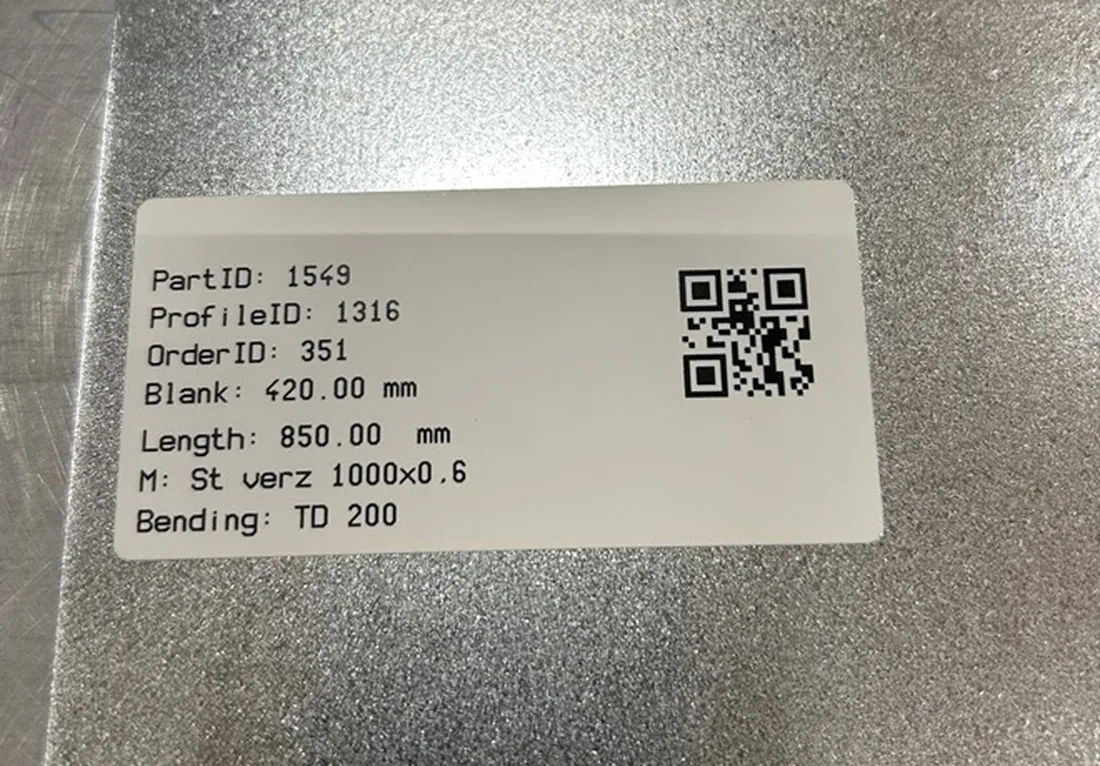
Alongside the QR code, the label can carry the machine that should do the bending plus material, length, width, profile name, remark and order name. That makes the part self-explaining on the shop floor: take the part, scan, produce.
There is a second benefit to nesting in nuIT. Cutting optimization reduces offcut, although how much can be gained depends on the machine, since a roller shear and a guillotine cut do not allow the same layouts.
Quality, not just speed
Because the bend program exists before production, the bend deduction is settled and the exact blank size is known before the part is cut. Preparing the program up front is what makes that possible.
What is available today
The advanced integration is available for Thalmann TD machines. Setup is required on both sides, on the customer workstation that will create the bend programs and on the TD machine that receives them. It is not a switch in nuIT, so it belongs in the quotation and the commissioning plan rather than in the first week of production.
For Thalmann TZ machines it is not available yet. The DS3000 program on TZ machines needs changes first. We will push that development as soon as we have a first customer who wants the advanced integration on TZ, so if that is you, let us know.
Prepared, not improvised
The advanced Thalmann integration turns bending from an expert task at the machine into a prepared, repeatable step in the order. With nuSlit labeling, it turns into a single scan.
A good question to ask about your own shop: how many of your profiles come back month after month? The more repetitive they are, the more this pays off.
Talk to our application experts if you want to see it on your own parts.