
New in nuIT this autumn
Generators that create parts you could not draw before, punching in the editor with DXF export, sketches your customers can order, and every view of a profile in one place — 3D model, unfolded blank with its measurements, punch list.
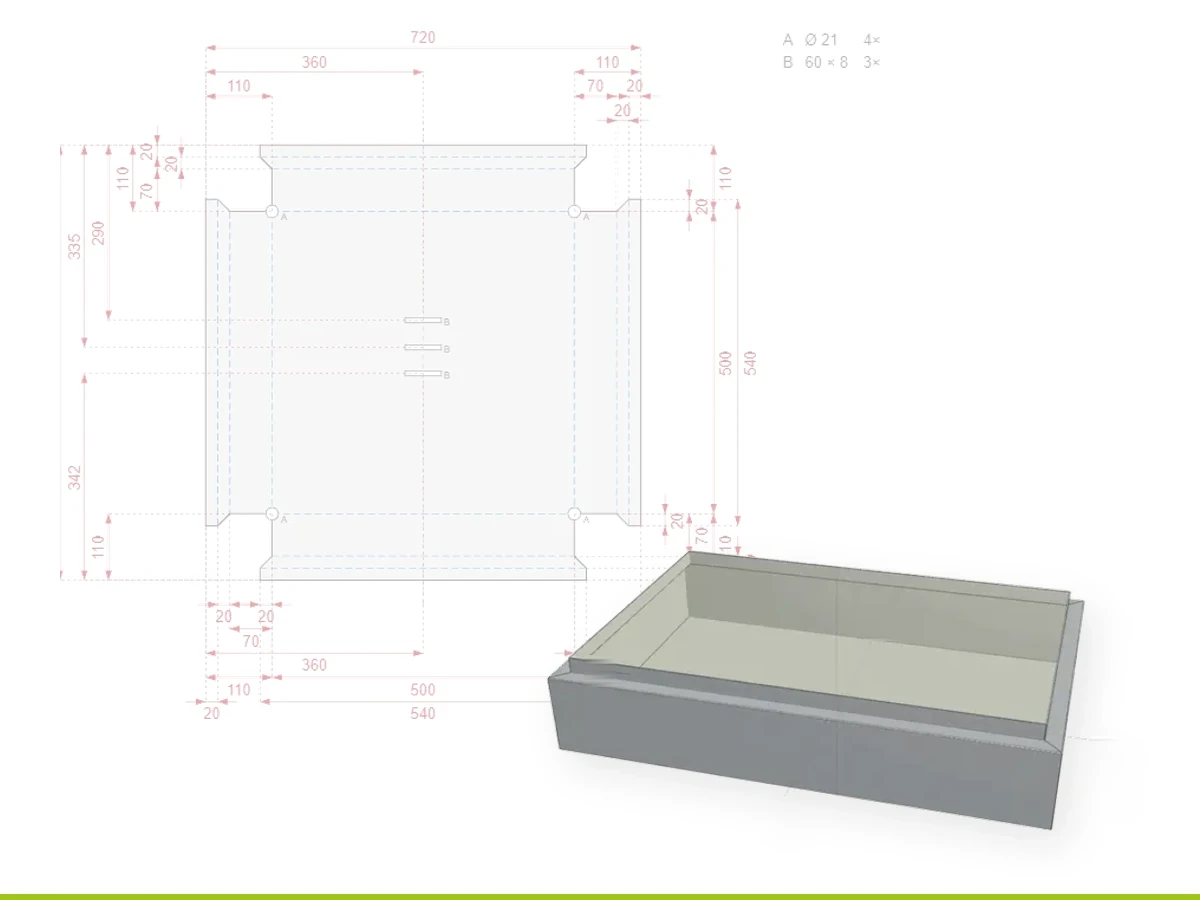
Autumn brought a run of changes to nuIT. The biggest of them opens up parts you simply could not make in nuIT before: boxes and windowsills, built from their dimensions. The second is that punching has arrived in the editor.
Here is what is worth knowing.
Parts you could not draw before
A box, a windowsill: sides that have to meet, hems and decorations wherever you want them, every measurement depending on the others. Parts like these were out of reach in the editor.
Two new generators create them for you. Both are optional modules for the editor, switched on for the environments that want them.
The box generator takes the dimensions, the sides you want, the angle and any hems or decorations, and produces the finished box.
The windowsill generator does the same for sills: width, depth, slope, rear upstand and drip edge.
You describe the part, the generator works out the geometry, and what comes out behaves like any other profile — priced, ready to order, ready for production, and identical every time you build it again.
Box and windowsill are the first two. More generators are on the way for the other standard roofing parts, so the list of what you can make in nuIT keeps growing.
Punching arrives in the editor
Punching comes to nuIT with this release, as another optional module for the editor. It starts with the thing you need most: a hole, where you want it, with the tool you actually own. Single punches are placed straight onto the profile, and they travel with it — into the drawing, into the price and into production.
From there it scales. A punch line sets a whole row at once: choose the tool, say how many or how far apart, and the spacing is worked out along the line. Notches have a tool of their own, and everything you place is listed, so several can be selected and changed together.
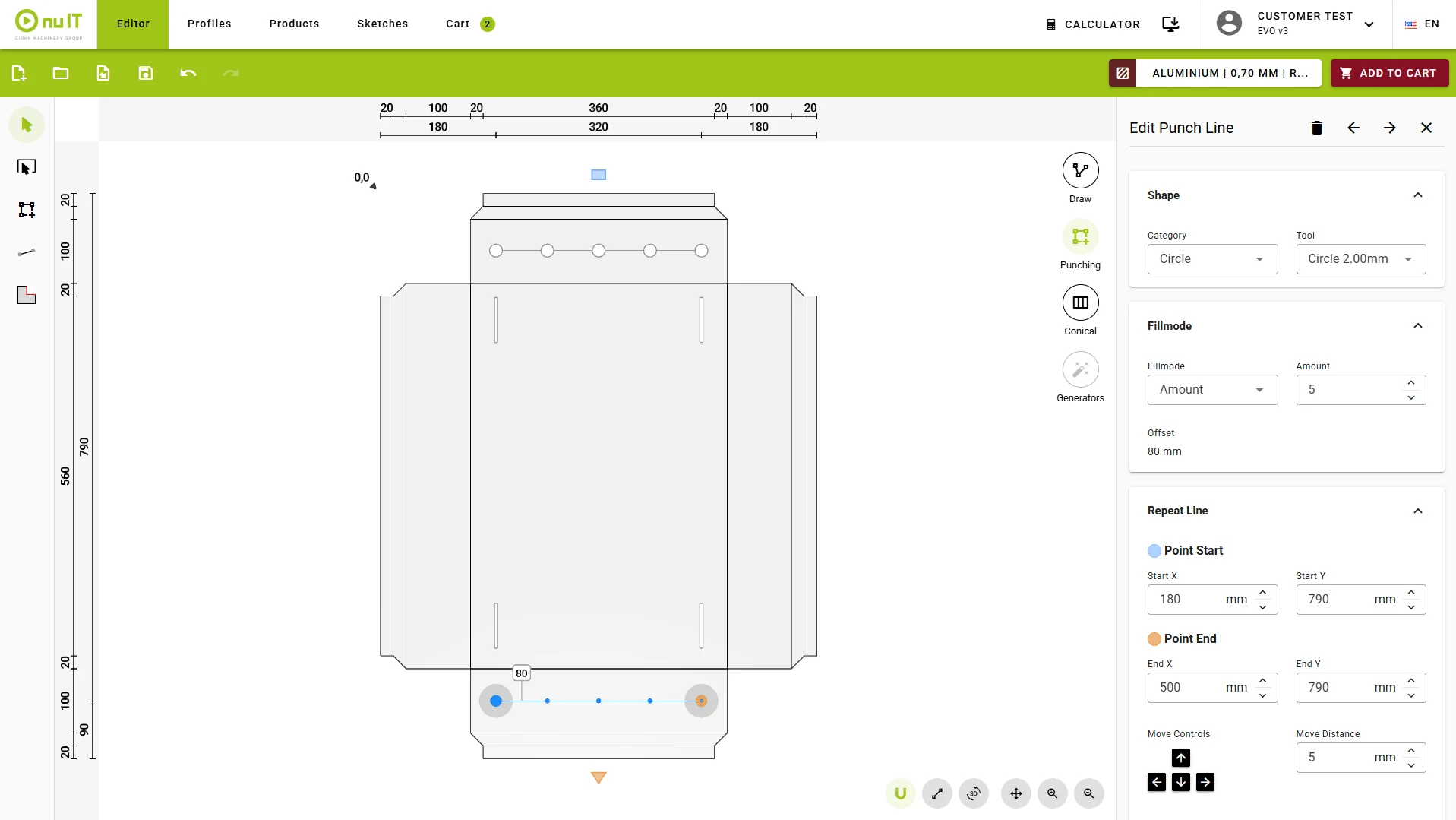
The tools are yours, not a fixed list. Punch tools are configured in your own system with a preview of each shape, and a whole set can be imported from nuSTOCK in one go — so what you pick in the editor is what sits in your machine.
A punched profile does not have to stay in nuIT either. It exports as DXF with the bend deduction already worked out, flattened, with the punch positions in the right place. Take that file straight to your punching or laser machine — Metalix reads what nuIT generates directly.
One profile, every view of it
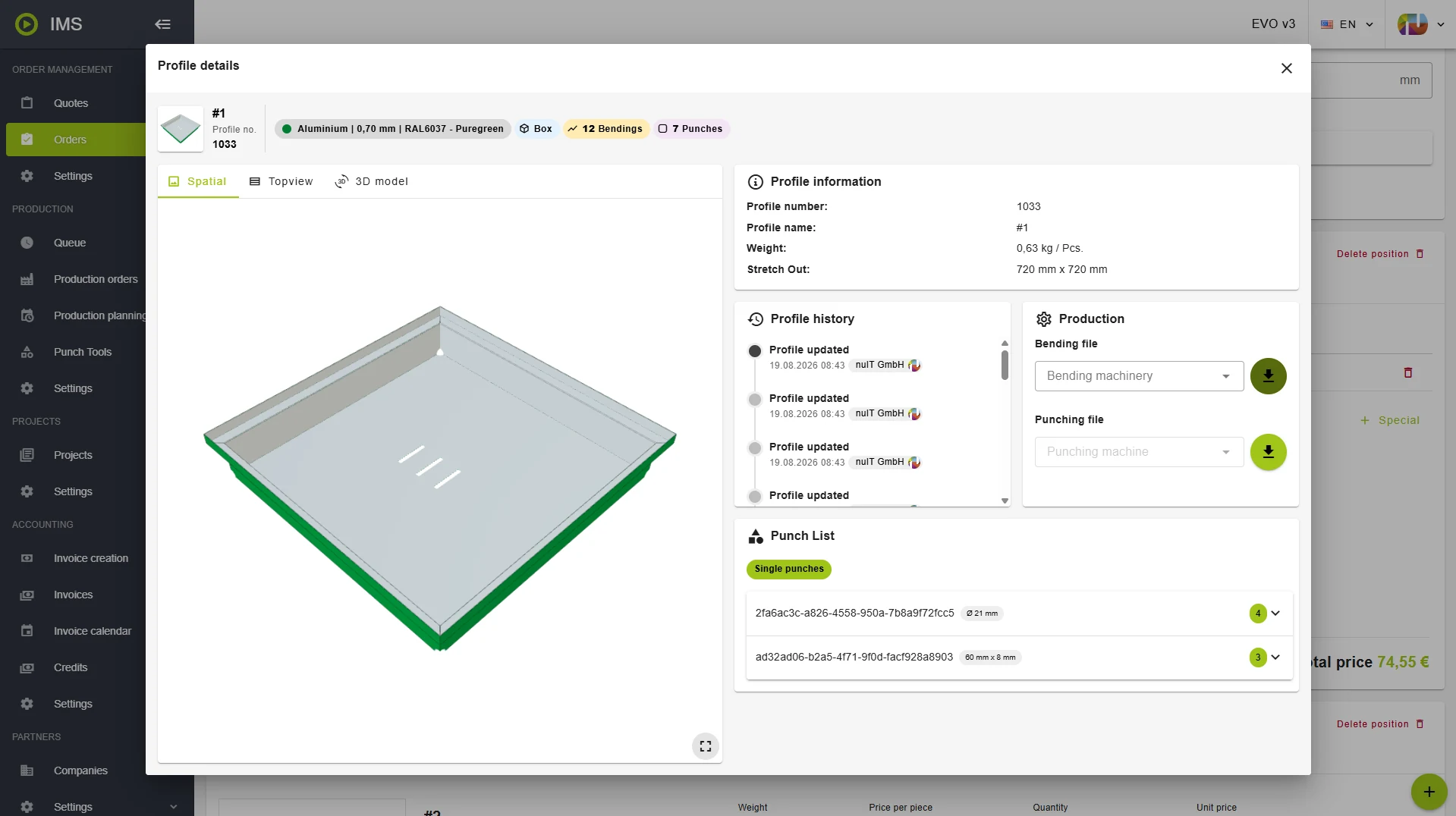
The new profile detail view puts everything about a profile in one place: a 3D model you can turn, the drawings, a top-down view with its measurements, the punch list, lengths and special processing, and the history of what changed.
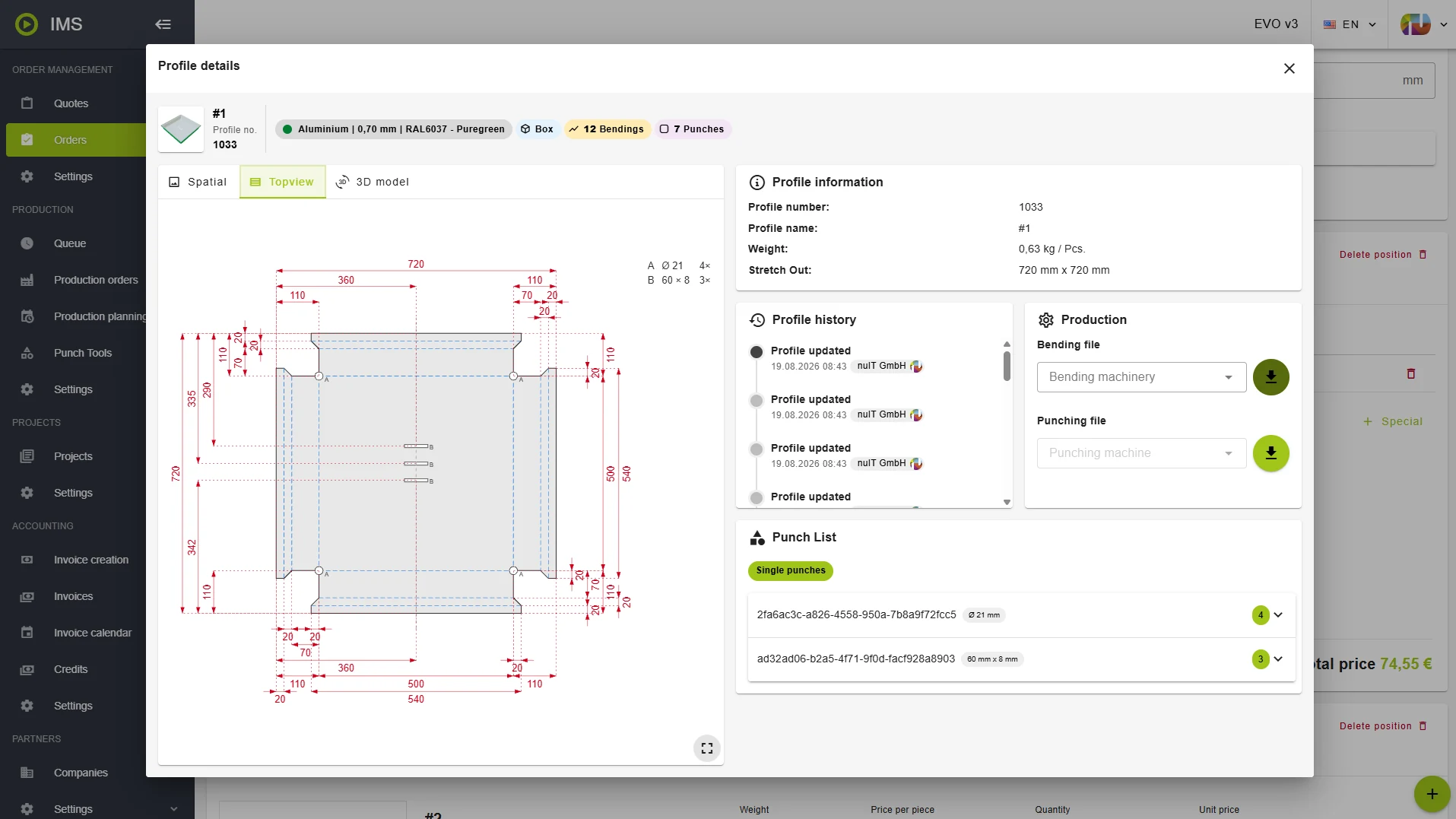
The top view unfolds it: the flat blank with every measurement on it, each punch marked and counted. It is the drawing production works from — and the one to put in front of a customer who wants to know exactly what they are getting, before anything is cut.
These views belong to the office and production side of nuIT, where the part is prepared and made. Everything about a profile sits on one screen, instead of across three.
A large job is more than a list of orders
A roof, a façade, a site: the work rarely arrives as one order. It arrives as a dozen, spread over weeks, and someone has to hold in their head which order belongs to which job.
That is what the projects module is for. It is an addition to nuIT rather than part of every setup — switched on for you if you want it. With it, orders are grouped into a project, and the project gets a view of its own: what has been ordered, what is in production, what is finished, and how many orders sit at each stage.
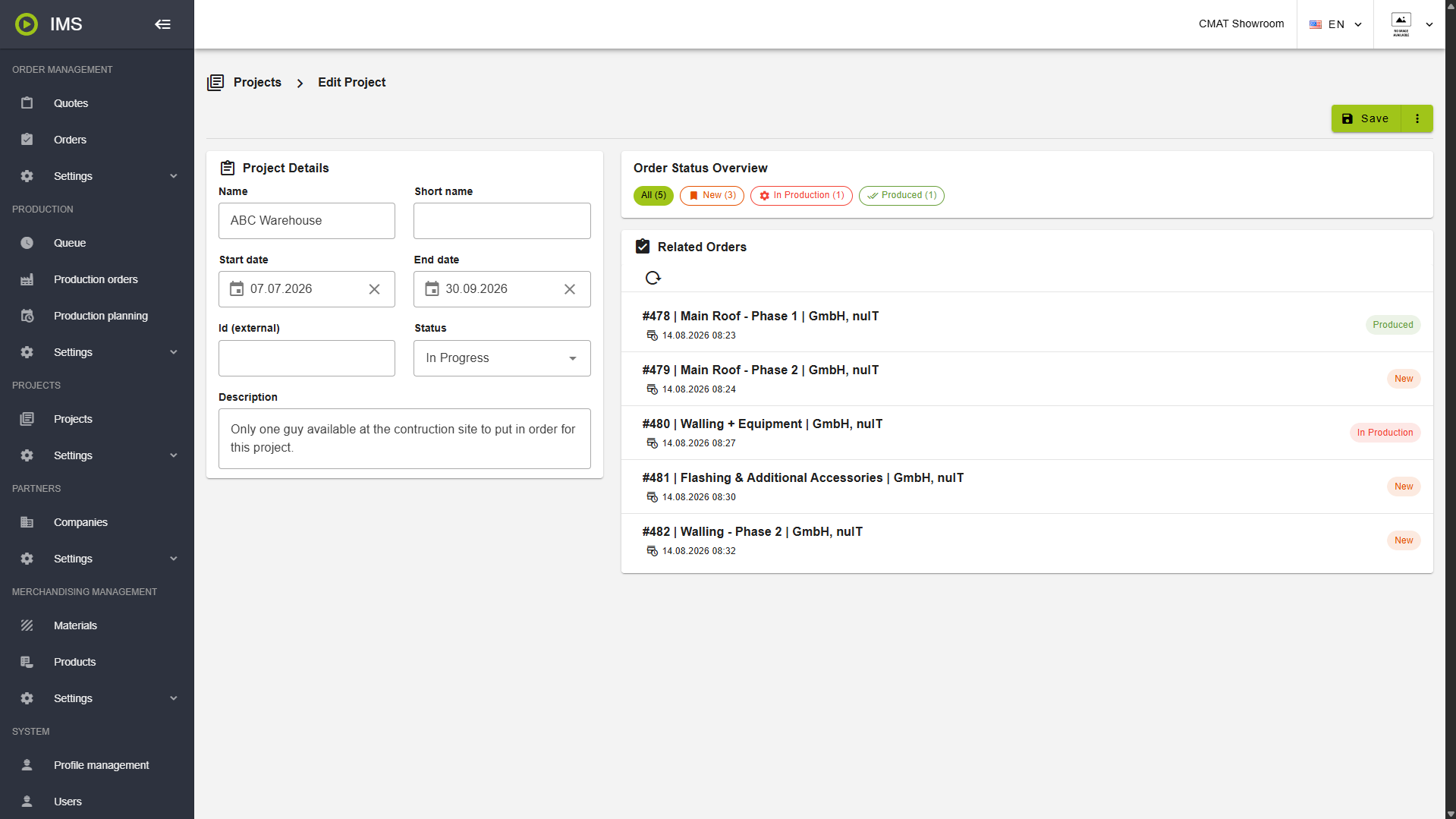
The grouping happens at the source. When your own people order — from the office or out on site — they pick the project in the checkout, so the order lands in the right one straight away instead of being sorted out afterwards.
For anyone running contracts rather than one-off orders, that is the difference between a list and an overview.
When there is no drawing, only a sketch
Not every part starts as a clean profile. Sometimes it is a shape drawn on the back of a delivery note.
In the shop a part can now be sketched freehand, labelled with the text tool, put in the cart and ordered like any other article — by a customer, or by your own people out on site.
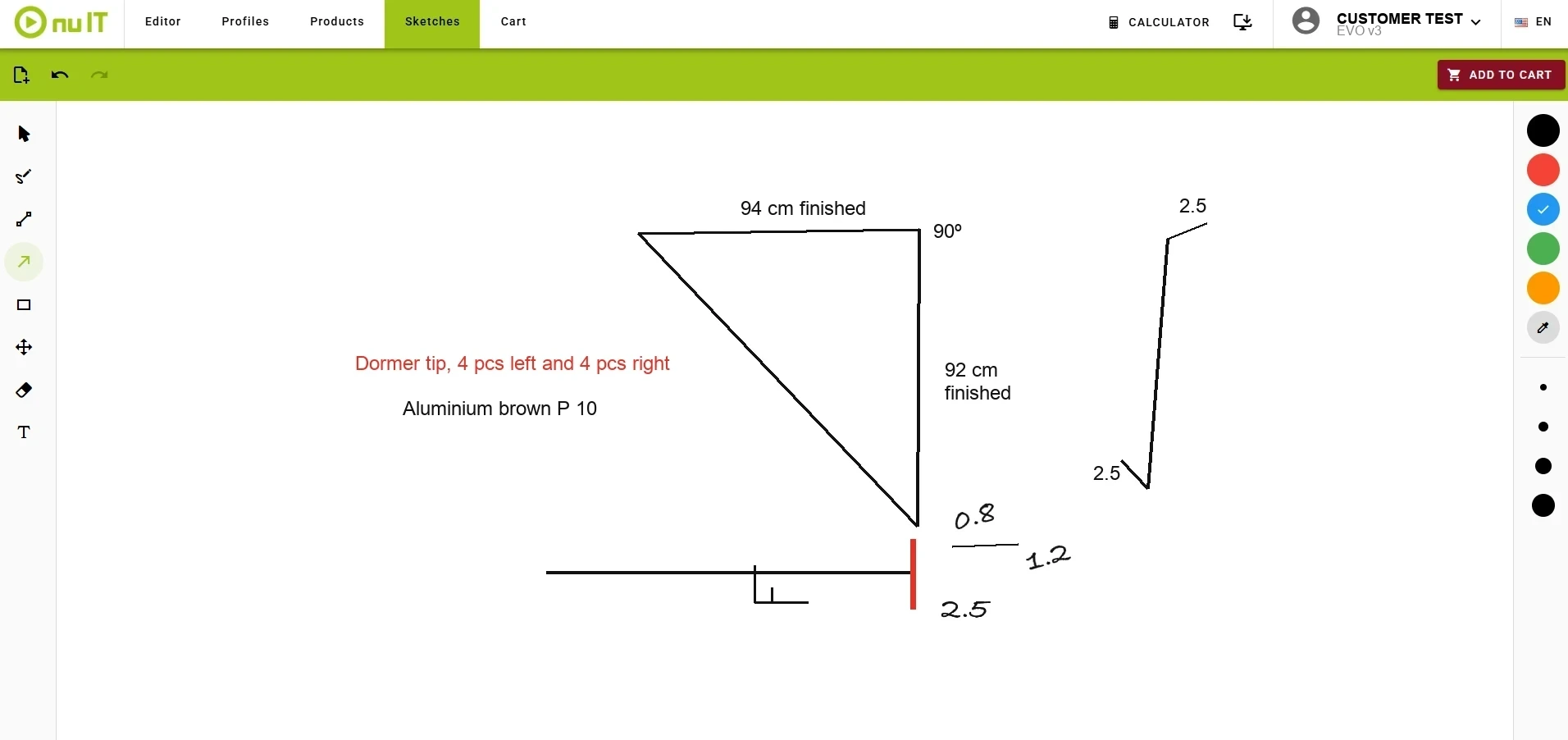
From there it behaves like any other position: it goes in the cart, carries a remark, and arrives attached to the order, where your team can open and download it.
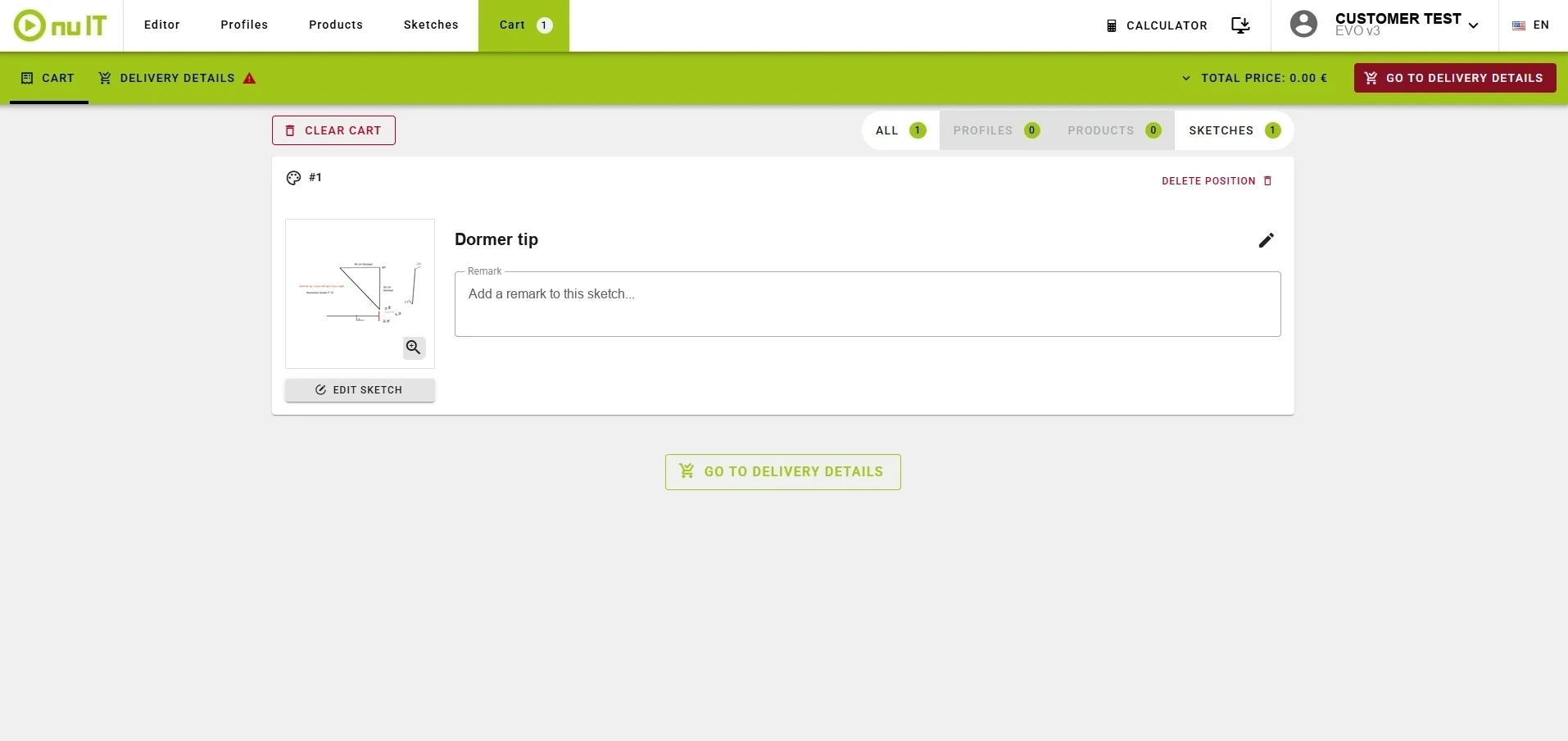
The use that matters most is internal. A roofer on site sketches what is needed — measurements, material, quantities — and sends it in. Back in the office someone picks it up and draws the actual profiles from it. The point is not that drawing is beyond anyone on site — it is that a one-off, or a detail that needs explaining, goes down faster by hand, and the office gets something clearer to work from than a photo.
It does not replace a properly drawn profile, and it is not meant to. It replaces the phone call, and the photo sent by message at half past six.
E-invoicing where the rules now require it
In a growing number of markets electronic invoicing is no longer a choice. Tax authorities require invoices in a structured, machine-readable format, and a plain PDF no longer satisfies the rules — miss the deadline in those markets and you cannot invoice properly at all.
nuIT now issues invoices in the ZUGFeRD / Factur-X format, activated per environment, so it is switched on where you need it. The invoice stays a PDF a person can read, carrying the structured invoice data inside the same file. That is exactly what the regulations ask for — and as a side effect your customer's accounting system reads it directly, so nobody retypes numbers from one system into another.
Prices that follow the material
Folding stainless does not cost what folding aluminium costs, and a quote should say so.
Bend costs can now be set per material group, so the price reflects what the part actually takes to produce. For shops working across a range of materials, margin stops depending on which material happened to be ordered.
Let people set up their own account
You still open the user section and send the invitation — that part stays with you. What you no longer do is invent a password for someone else and type in their details.
The invited person gets an e-mail, lands on a sign-up page carrying your logo, your colours and your language, and sets their own password and particulars. No credentials passed around by mail or phone, and nothing for you to correct afterwards because a name was spelled wrong.
And if you missed it: the editor in your own shop
The nuIT editor can now be built into the web shop you already run. Customers draw a custom profile and order it without ever leaving your site — your brand, your prices, your customer relationship.
That one got a post of its own: let your customers draw their own profiles, right in your shop.
What this adds up to
More parts you can actually make, less working out geometry by hand, less retyping between systems. The work that only a person can do stays with the person; the fiddly, repeatable part moves into the software.
Curious what any of it looks like on your own orders? Talk to our application experts.